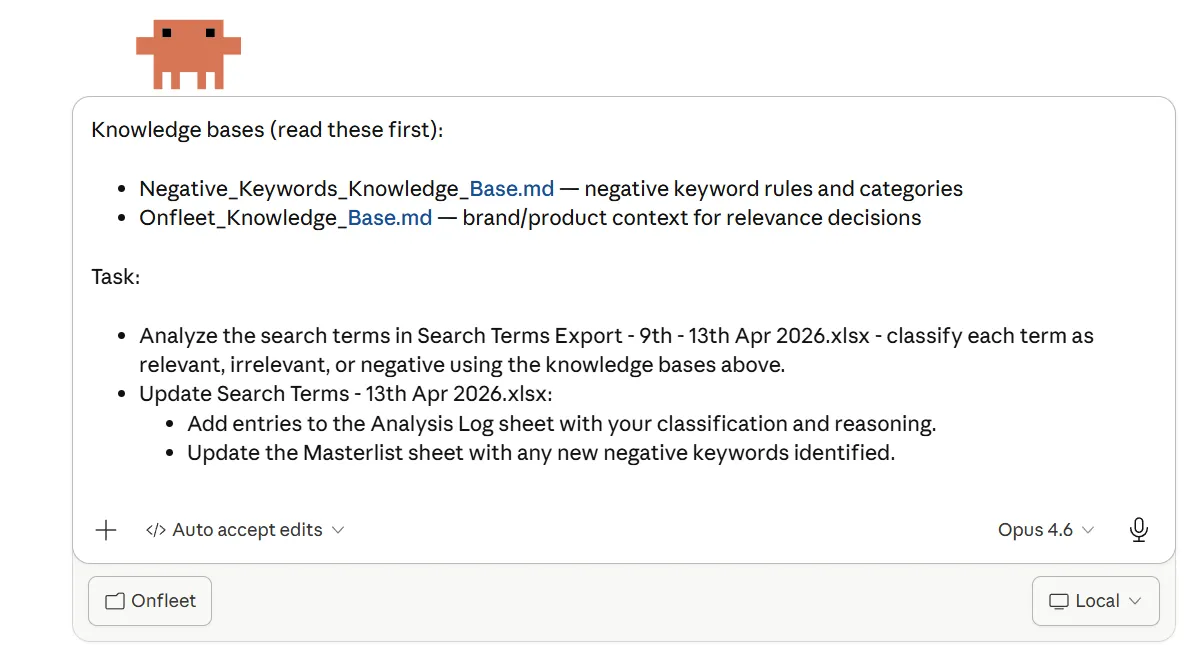
 1Two guides, as .md files 2Classify every search term 3Log the reason, update the master list
 - Two guides, as .md files
- Classify every search term
- Log the reason, update the master list
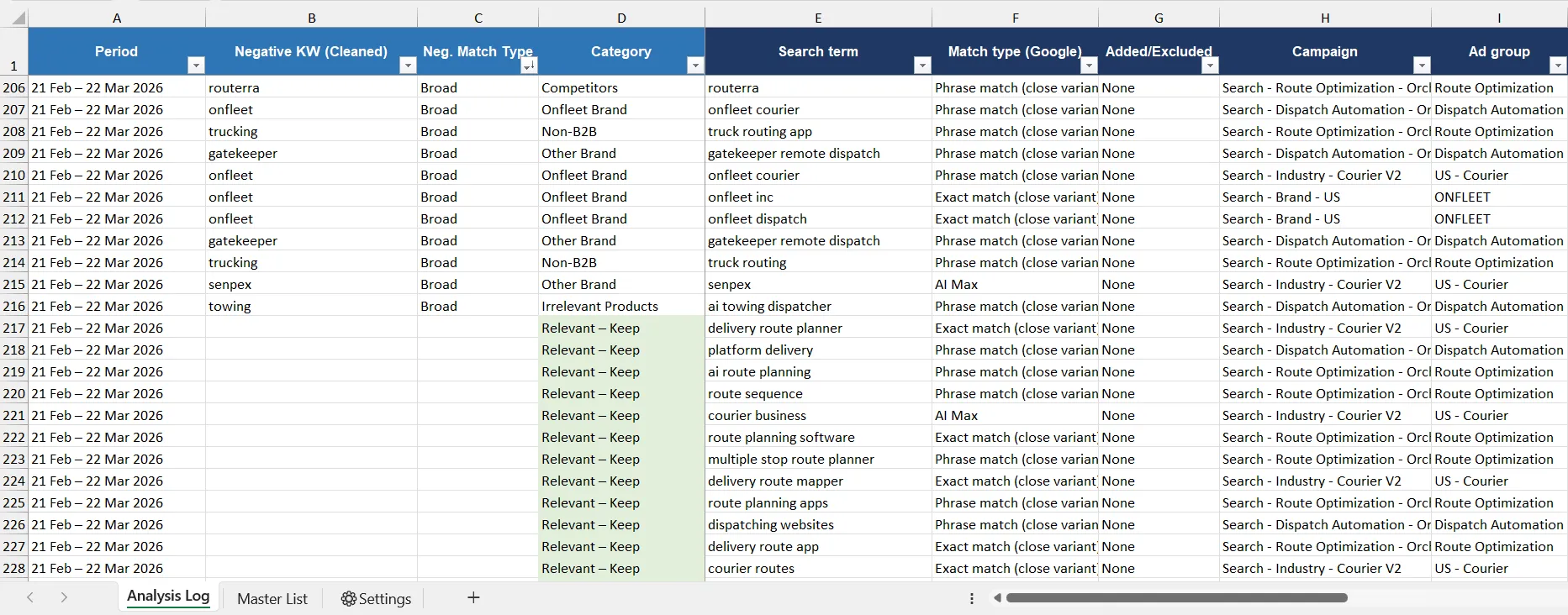 1Cleaned to the root word 2Good terms are kept 3Campaign it came from
 - Cleaned to the root word
- Good terms are kept
- Campaign it came from
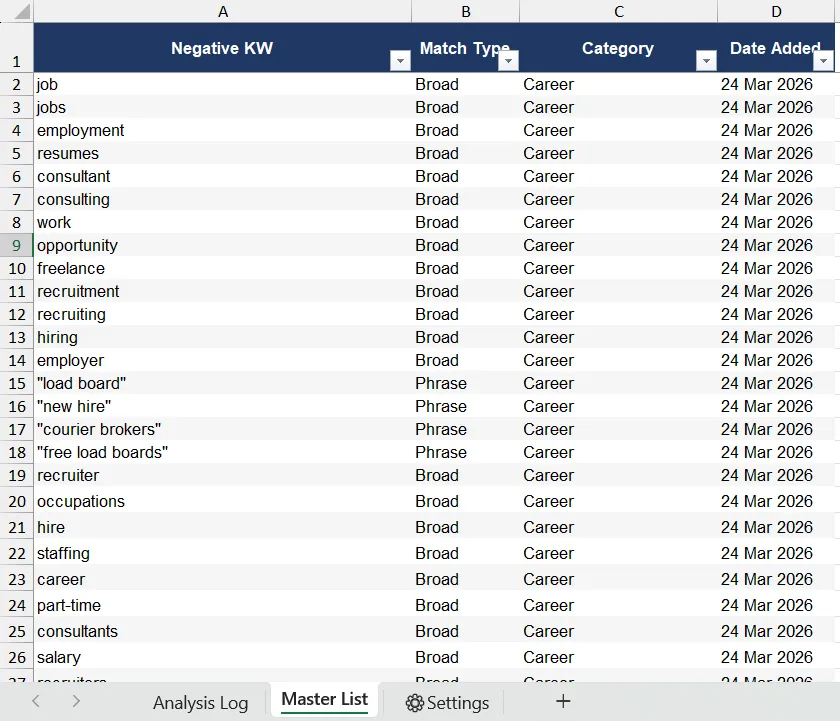 1Every negative keyword 2Theme and date added
 - Every negative keyword
- Theme and date added
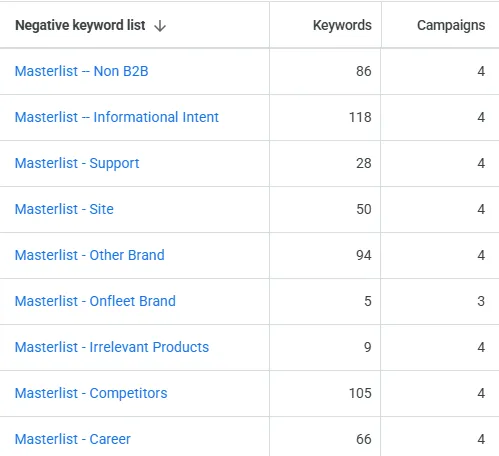 1561 keywords in 9 lists 2Shared across campaigns
 - 561 keywords in 9 lists
- Shared across campaigns
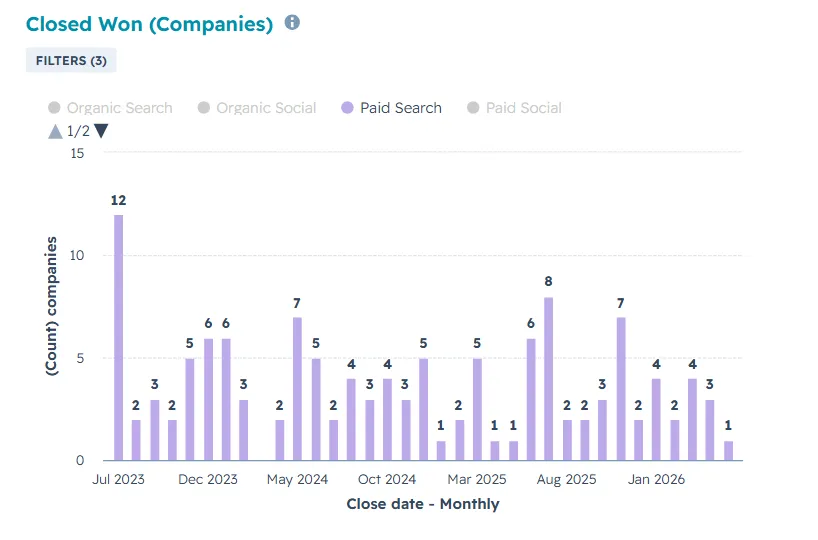 1Closed-won from paid search 2128 companies since July 2023
 - Closed-won from paid search
- 128 companies since July 2023

Onfleet
AI search term review for Google Ads
The brand
Onfleet makes last-mile delivery software. Teams use it to plan routes, dispatch drivers and track every delivery.
Why
With AI Max turned on, the search campaigns pulled in 100+ new search terms in a few days, good and bad mixed together. Checking them by hand took hours, so junk terms kept spending money before anyone caught them.
How
- I wrote two guides for Claude: an Onfleet knowledge base built from positioning docs and blog posts, and a rule book for negative keywords.
- I put the guides, a standard template and the search terms report in one folder, then ran the review with one prompt in Claude Code.
- Claude sorts every term, logs why, and trims brand and competitor names to their root, so one negative keyword covers more ground.
- I check every suggestion by hand. Only then does it go into the right negative keyword list in Google Ads.
What I learned
- AI is fastest when it has your rules and your product context written down first.
- A human check before anything goes live keeps the speed without the risk.
- I now use the same setup to score ad creatives, test ad copy, format ABM lists and review ads in bulk.
Want something like this for your team?
Let’s talk LinkedIn